Get paid for a creator deal
A creator deal pays you for the views on a video you post about RoTerminal. Its page takes three steps, all in one place.
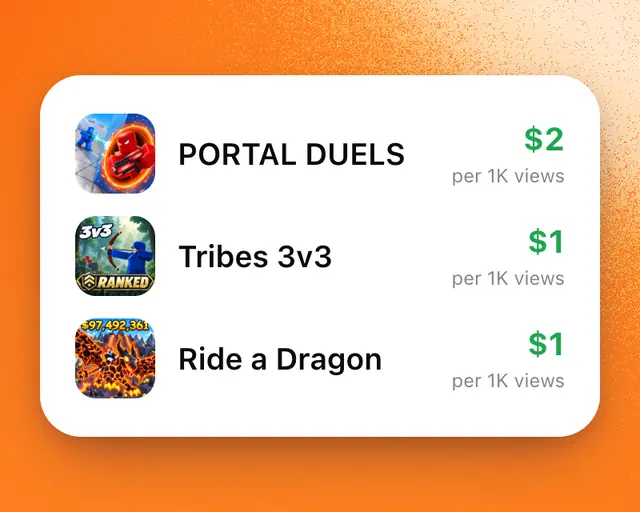
A creator deal is RoTerminal paying you for the views on a video you post about RoTerminal. We send you its link. It shows what it pays per 1,000 views, the most it pays, and how long views count. Only you can see it.
Accept your deal
- Open the link we sent you.
- Sign in. The deal becomes yours, and the link opens your deal’s page from then on.
Three steps to get paid
Your deal’s page has three steps. Each one shows a green tick when it’s done.
- Connect TikTok. Tap Connect TikTok and allow RoTerminal on TikTok’s screen. This is how we read your video’s views. We never post anything.
- Your video. Once TikTok is connected, we look for the video you posted for the deal: a video posted since the deal began, with #ad in its caption and RoTerminal named in it. If we don’t find it, tap your video in the row of your TikToks, or tap Paste a link instead.
- Get paid. Tap Add bank account and fill in Stripe’s form. Stripe keeps your bank details, never us.
When all three are done, the page says you’re all set. There’s nothing else to do.
Tip: You can add your bank account first. The steps don’t have to be done in order.
How you’re paid
- Every view pays, up to the most the deal pays.
- Views count for 14 days after you posted the video. A video posted before you opened the link counts too, as long as it was posted after the deal began.
- Earnings unlock one day after they’re counted. Every Friday, what’s unlocked goes to your bank.
- You can also withdraw sooner, from $1. Tap Withdraw on the Earnings card.
The Earnings card on your deal’s page shows your views, what you’ve earned so far against the most the deal pays, and the date of your next payment. Its numbers update every minute while views are counting.
Tip: Under 18? A parent or guardian adds the bank account in their name.