Earn money making clips
New
Post clips of Roblox games on TikTok, YouTube or X, send us the link, and get paid for every view.
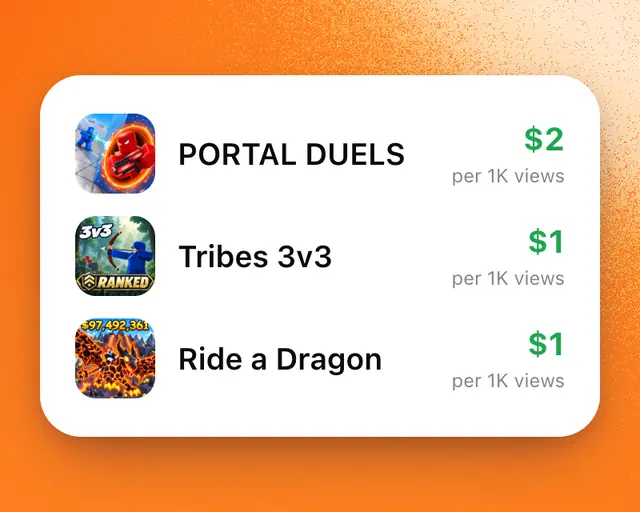
Games in Marketplace → Clips pay creators for clips of them. You post a clip on TikTok, YouTube or X, send us its link, and you’re paid for every view it gets. It’s free.
Pick a game
- In Marketplace, tap Clips.
- Look at what each game pays per 1,000 views, the most one clip can earn, the budget left and when it ends.
- Tap Submit a clip on the game you want.
Make and send a clip
The game’s clip page walks you through three steps.
- Record: download the game’s trailer, or record yourself playing. Start with the best moment. Tap I’ve got my clip.
- Post: copy the caption shown and post the clip on one of the platforms the game takes. Tap It’s posted.
- Send: paste your clip’s link and tap Send it in.
For a clip to count:
- Its caption must include #ad, or your language’s word for it.
- Send it within three days of posting it, and keep it public.
- On YouTube, only Shorts count.
- Connect the account you post from, or add your code to the caption, so the clip counts as yours.
A game’s developer can turn a clip down in its first day. After that, it’s approved.
See how your clip is doing
Tap any clip in Your clips to open its page. It shows the clip’s views as they come in, what it’s earned, its likes and comments, and how it compares with your other clips at the same age.
- While the page is open, its views update every minute, so you don’t need to keep checking the app.
- Tap Views under the chart to see new views by the hour, likes, or the game’s players. The game’s players show when your clip went up.
- Top clips shows where your clip ranks among the game’s clips.
Get paid
Every view is paid, up to the most a clip can earn. Money unlocks a day after it’s counted. Your first clip to pass 1,000 views earns $5 extra.
- In Marketplace → Clips, tap Your clips. It shows once you’ve sent a clip.
- The first time, tap Set up and add your bank account through Stripe.
- Tap Withdraw.
You can withdraw anytime from $1, and it’s free. Money usually arrives in 1 to 2 business days. Whatever you don’t withdraw goes out by itself on Fridays.
Tip: Under 18? A parent or guardian sets up the bank account in their name. You keep clipping as you.