Send an agreement
New
Send a commission, revenue share or NDA from a template, or your own agreement, and sign it together here.
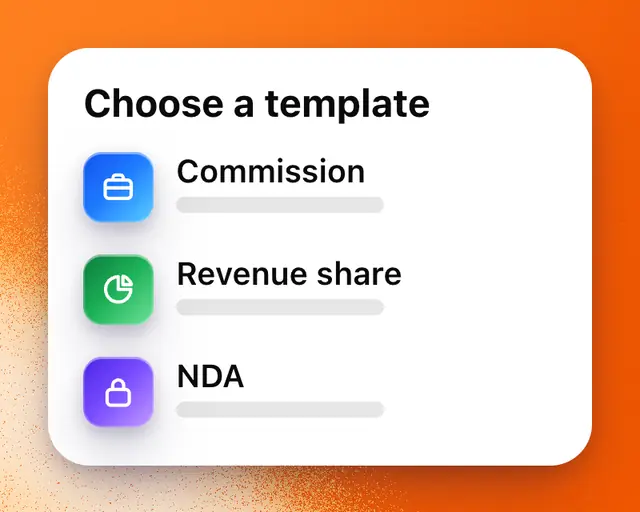
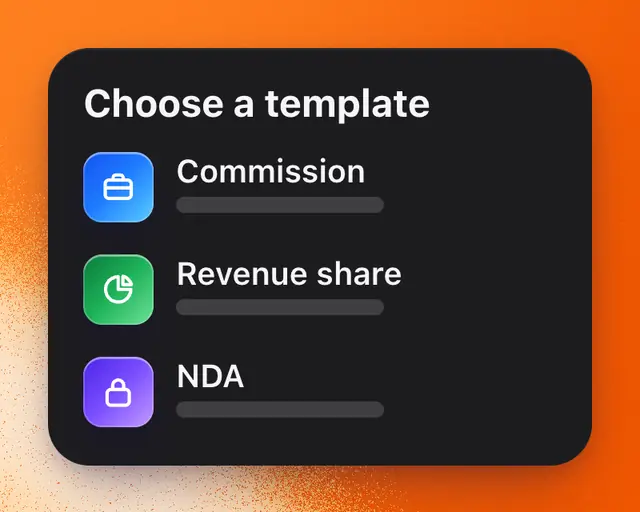
Agreements are written deals between you and someone you work with, signed by both of you in the app. Start from one of RoTerminal’s templates, or use an agreement you already have.
Send one from a template
- Open Agreements. On a computer, tap your name at the bottom of the sidebar, then Agreements. On a phone, open your profile, tap the gear at the top of the screen, then Agreements.
- Tap New agreement.
- Pick a template:
| Template | For |
|---|---|
| Commission | Work for a price: what’s made, when it’s due, and who owns it. |
| Revenue share | A share of what a game earns on Roblox, in return for work on it. |
| NDA | Keeping something private, one way or both. |
- Under For, type their name or their Roblox username. They don’t need to be on RoTerminal: they sign in with that Roblox account to sign.
- Fill in the blanks. The agreement updates as you type. On a phone, tap Preview to read it.
- Tap Review and sign, type your full legal name, choose your month and year of birth, select the box and tap Sign and send.
They get it in Messages and by email. If they aren’t on RoTerminal yet, tap Copy link or Share and send them the link.
You can also start one from a conversation’s ⋯ menu, from the ⋯ on someone’s profile, from your studio’s Team, or from a job application. Each one fills in who it’s for.
A template’s wording is the same for everyone. You choose the template and fill in its blanks.
A commission is paid in US dollars, or in Robux as one Roblox group payout for content work: building, scripting, art or UI. Other work is paid in US dollars. A revenue share is only for work: the partner earns a share of what the game earns in return for the work they do. No agreement can use Robux or items as the price of a game or an account, or sell an account.
Use your own agreement
Already have an agreement, from a lawyer or one you wrote yourself? Sign it here.
- Open Agreements and tap New agreement, then Your own. On a computer, you can also drop the PDF on that screen.
- Upload the PDF, or paste its text.
- Under For, type their name or their Roblox username.
- Tap Review and sign, then sign and send it as usual.
RoTerminal shows it to the other side as you gave it, collects both signatures and keeps the signed copy with its signing record. We don’t write, check or change it, so read it through before you send it.
Sign one sent to you
- Open it from Messages, Activity or the email, then tap Review and sign.
- Read it. Tap Read the whole agreement for every page.
- Type your full legal name and choose your month and year of birth.
- Select the box and tap Sign.
Once you’ve both signed, you each get the signed agreement by email.
If something should change, tap Ask for changes and say what. They change it and send a new version, and you sign that one. To say no, tap ⋯ and then Decline.
If you’re under 18
You need to be 13 or older to sign. If you’re 13 to 17, add your parent’s or guardian’s email when you sign. We email them a link to read the agreement and sign it with you, and it counts once they’ve signed too. By signing, they promise to pay the other side back if you don’t do what the agreement says or you cancel it.
The law usually lets someone under 18 cancel an agreement they signed. The other side is told so on the agreement (before they sign, if you signed first) and on the signed PDF. Work you make under it is licensed to them: they can use it as the agreement says, and you keep owning it.
What the other side sees
Before they sign, they see the whole agreement and who sent it. If a signer is under 18, they see that too, with a note that the signer can usually cancel.
Once it’s signed, the PDF ends with its signing record: who signed and when, part of each signer’s IP address, and the agreement’s fingerprint, which shows it hasn’t changed since it was signed.
After it’s signed
- Commission: the maker taps Mark delivered and whoever pays taps Mark paid. Once both are marked, it’s done.
- Revenue share: turn on Show each month’s Robux when you write it, and the agreement’s page shows each month’s Robux and the share owed, from Roblox’s own numbers, once the game’s owner connects them in My Games. You both get a notification when a month closes.
- Show the work: when The maker can show this work is on, the game shows under Worked on on the maker’s profile.
To end an agreement, tap ⋯ and then End agreement. A revenue share with 30 days’ notice ends 30 days later. Before it’s signed, the sender can tap Cancel agreement instead.
Your signed copy
You each get the signed PDF by email, and it’s kept in Your deal documents. You can download it and its signing record at any time. They’re kept even after you close your account: email support@roterminal.co for a copy.
RoTerminal doesn’t hold or move money for agreements, and doesn’t decide disagreements between members. If something goes wrong, talk to the other side first, using the signed PDF. If you can’t sort it out, get legal help.
Who can see it
Only the two of you see an agreement. When a studio sends one, everyone who runs the studio sees it too.
Anyone you show it to can check that it’s real at roterminal.co/verify, with the agreement’s number (like RTG-0001) and the code printed with it on the PDF. The check never shows names or money.
How many you can send
Agreements have no limit on any plan. Send as many as you like. Signing and answering one are always free.
Important: RoTerminal is the tool you sign with, not a law firm and not a party to your agreement. It doesn’t give legal advice. For anything important, have a lawyer read it before you sign.