Read and measure a chart
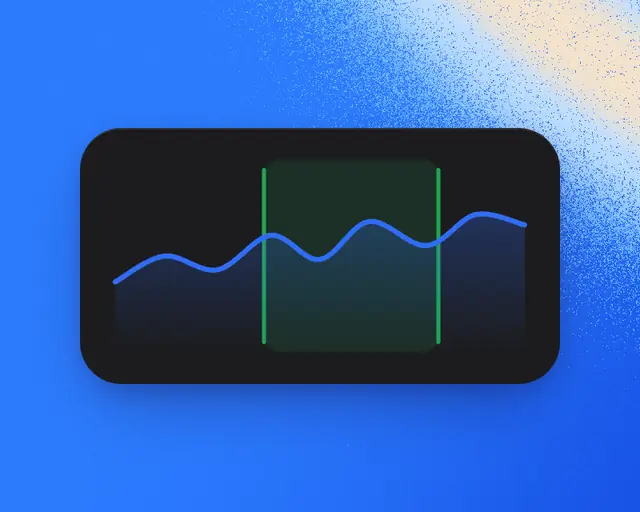
Pick a range, point at any moment, and drag across a chart to measure the change between two points.

Player charts work the same way everywhere on RoTerminal: on the Terminal, and on game, studio, developer, genre and trend pages. You can measure My Games’ charts the same way too.
The number
The big number at the top left is the latest count. Under it is the change over the range you picked, with ▲ in green when it went up and ▼ in red when it went down.
Pick a range
Tap a range under the chart, such as 1H, 6H, 1D, 1W, 1M, 1Y or All. A chart only offers the ranges it has data for. Where it says Live, it shows the last few minutes, each count as it comes in.
The range you pick is kept for the next chart of the same kind, such as the next game’s page.
Point at a moment
- On a computer: move the pointer along the chart.
- On a phone: touch the chart and slide one finger.
The number changes to that moment, and the time shows under it. On longer ranges, each point is that day’s or week’s peak, and the time says Peak.
Measure between two moments
- On a computer: press on the chart and drag across it.
- On a phone: touch the chart with two fingers.
The stretch between them lights up. On a line, it turns green if it went up and red if it went down. The number shows the later moment. Under it are the change since the earlier moment and when the stretch starts and ends. Let go and the chart goes back to normal.
More on some charts
- The menu at the end of the ranges switches what the chart shows, such as a game’s Visits or a studio’s By game. On the Terminal it has Weekly peak, Growth and more. See The top chart and its lines.
- Events, the calendar button at the top right of a game’s or a studio’s chart, puts pins on the line for events and for updates that moved players. Point at a pin to read it.
- Compare, the round button with two lines, lays other lines over a game’s, genre’s or trend’s chart. See Compare games.
- The share button, at the top right, shares a link to the page.