The top chart and its lines
New
Read everyone playing Roblox on the Terminal’s chart, and switch it to Weekly peak, Growth and more.
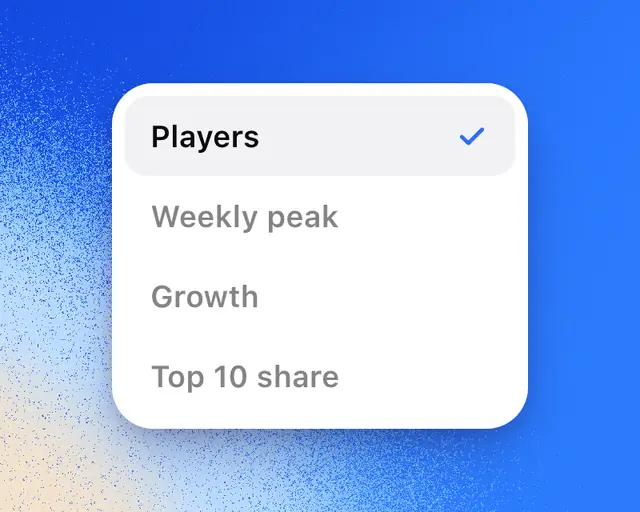
The chart at the top of the Terminal’s Overview shows how many people are playing Roblox. Its menu switches it to other views of Roblox as a whole.
Read it
The big number is how many people are playing Roblox right now. Under it is how much that changed over the range you picked, with ▲ in green when it went up and ▼ in red when it went down.
Pick a range under the chart: Live, 1D, 1W, 1M, 1Y or All. Live shows the last few minutes as each count comes in, and the change over the past hour.
Change what it shows
- Tap Players at the end of the ranges.
- Pick a line from the menu.
| Line | What it means |
|---|---|
| Players | People playing Roblox at each moment |
| Weekly peak | The most people playing at once each week, one bar a week. The record week is gold. |
| Growth | The past day’s players against the same day a week before. Above zero, in green, Roblox is busier than a week ago. |
| Top 10 share | The share of everyone playing who are in the 10 biggest games |
| New games share | The share of everyone playing who are in games out less than 30 days |
| Games over 1K | How many games have 1,000 or more people playing |
Weekly peak shows on 3M, 1Y and All. Its number is last week’s peak until this week passes it.
For Top 10 share and New games share, the games behind the number show under it, biggest first, with the top game’s own share. Point at any moment to see which games they were then.
For Games over 1K on 1D and 1W, the same hours last week run under the line, so you can see whether today is busier than usual.
Players, Weekly peak and Growth go back to October 2024. The other three lines are newer.
Tip: Drag across the chart to measure the change between two moments. See Read and measure a chart.